
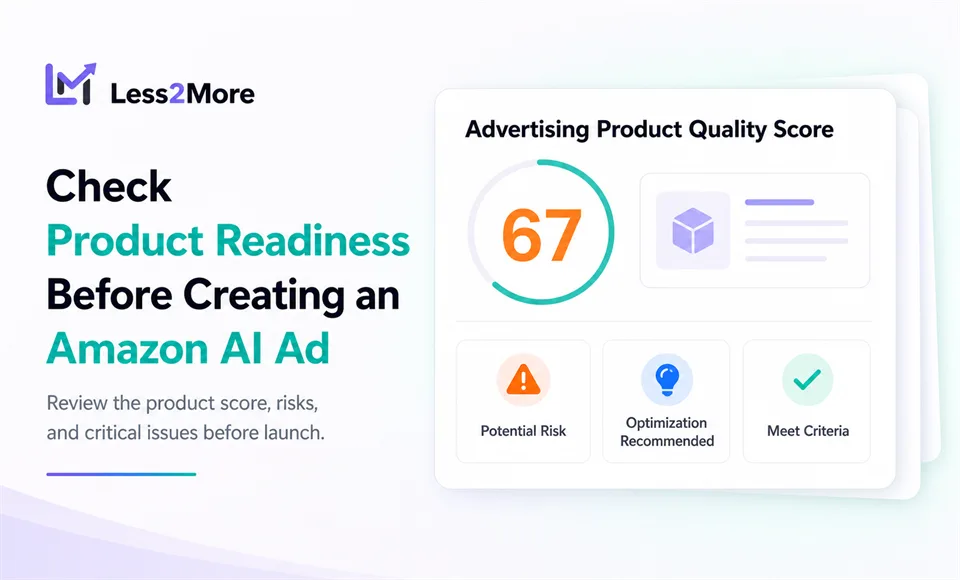
Amazon PPC automation often starts with the campaign goal, budget, and bidding strategy. But before AI takes on repetitive work across bids, budgets, keywords, and negative keywords, there is a more basic question: Is the product ready for advertising?
Sellers may need to check listing content, images, ratings, inventory, recent sales, and existing campaigns in different places. Reviewing every item manually takes time and makes important details easy to miss. Some findings are recommendations. Others directly determine whether an AI Ad can be created.
Less2More has added Product Ad Potential Diagnosis to the product-selection step of AI Ad creation. It gives sellers a clearer view of product readiness, potential risks, and critical issues before an ad starts.
Less2More is an independent AI Amazon Ads system developed by tool4seller. The seller sets the campaign goal and guardrails, AI helps handle repetitive Amazon PPC work, and the seller continues to monitor campaign status and performance.
Why Product Diagnosis Matters Before AI Ad Creation
Being able to select a product does not always mean every creation requirement has been met.
A listing may have an undersized main image, an overly long title, no Product Description, or limited traffic signals. These findings do not always need to stop the seller from creating an ad, but they are worth seeing before budget is committed.
Other conditions create a clear conflict. A product may have zero inventory, or the same product may already have a Less2More AI Ad that is currently active. In those cases, creating another AI Ad would not provide a useful starting point and could introduce duplicate management.
Without a centralized check, sellers have to move between listing, inventory, and campaign information. Product Diagnosis brings these pre-launch checks into one workflow.
How Product Ad Potential Diagnosis Works
When creating an AI Ad in Less2More, the seller first selects the product to advertise.
If a report can be generated for the selected product, the system prepares the diagnosis and displays the Product Ad Potential Diagnosis button. Clicking the button opens the full Advertising Product Quality Score report.
If the product does not meet the creation requirements, the system displays a red error. The seller cannot bypass the error and must resolve the identified issue before continuing with AI Ad creation.
This places the product check before the seller completes the campaign goal, Goal ACOS, and Total Budget settings.

What the Advertising Product Quality Score Means
The Advertising Product Quality Score uses 15 checks to assess how prepared a product is before an ad is created.
The score is not a forecast of future sales, conversions, ACOS, ROI, or overall advertising performance. It shows which readiness conditions the product currently meets and which areas may need attention.
The score is easier to read when sellers treat it as a readiness checklist, not as a performance prediction.

The report organizes the checks into three sections.
Competition
The Competition section looks at whether the product has established a basic level of market, traffic, and customer-feedback signals. The report uses the following checks:
- Units Sold Conversion rate is higher than the category average level
- Traffic baseline: Impressions or clicks detected for at least 3 keywords
- Rating count: 15 or more
- Ratings greater than 4.0
These signals help sellers understand how much traffic, conversion, and customer-feedback history is currently available. Not meeting one of these recommendations does not automatically mean the product cannot be advertised. It may mean the campaign needs more time to collect useful data.
Listing Info
The Listing Info section checks whether the detail page contains a fuller set of basic product content:
- 4 or more images
- The main image must meet the scaling requirements, with the longest side not less than 1,600 pixels and not exceeding 10,000 pixels
- Product videos
- At least 3 Bullet Points
- A+ Content
- Product Description
- Title starts with the brand name
- Title length: under 80 characters
The report displays both the rule and the product's current content. For example, if the current main image is 1,200 x 1,200, the seller can immediately see the difference between the current dimensions and the recommended standard.
Less2More does not edit the listing automatically and does not provide a link to another page for making changes. It shows the rule, the current product information, and the corresponding status. The seller decides whether and how to optimize the listing.
Other
The Other section covers inventory, recent sales, and existing advertising activity:
- Inventory is sufficient for more than 30 days of sales
- Stable sales: More than 30 orders in the past 30 days
- This product is not currently included in other advertising campaigns
These checks help sellers look beyond listing content and consider other conditions that may affect product readiness before creating an AI Ad.
How to Read the Three Diagnosis Statuses
The report uses three statuses to distinguish different findings:
- Meet Criteria: The product currently meets the requirement for that check.
- Optimization Recommended: The interface explains, improvements may help increase click or conversion rates. This is a recommendation, not a performance guarantee, and it does not prevent the seller from creating an AI Ad.
- Potential Risk: The interface explains, certain factors may affect AI ad performance. Please review carefully before creating AI ads. The seller should assess the issue before continuing, but this status alone does not block AI Ad creation.
Together, these statuses separate conditions the product already meets, areas where improvements may help clicks or conversions, and factors that deserve careful review before launch.
Only findings identified separately as Critical issues block AI Ad creation.
Which Critical Issues Block AI Ad Creation?
The interface describes this blocking level as Critical issues: These issues significantly impact AI ad performance and must be resolved before creating AI ads.
Two confirmed conditions currently fall into this category.

Inventory Is Zero
The confirmed critical issue is: Inventory is zero, out-of-stock products will not receive ad impressions.
A product with no inventory cannot properly receive advertising traffic. When the system detects zero inventory, it prevents the seller from continuing with AI Ad creation. This is not an optimization recommendation. It is a creation requirement that cannot be bypassed.
Only One AI Advertising Can Be Launched for Each Product at a Time
The confirmed critical issue is: Only one AI advertising can be launched for each product at a time; Running multiple AI advertising for the same product may compete for traffic and conversions, resulting in a deterioration of the advertising effect.
The system checks whether the selected product already has an AI advertising that is active. If it does, the seller cannot create or launch another one for the same product at the same time.
This block prevents multiple AI advertising workflows from managing the same product at the same time and reduces traffic, conversion, and management conflicts.
Does an Existing Standard Amazon Campaign Block Creation?
No. If the same product already appears in a standard Amazon campaign or ad group, the system displays Potential Risk but does not prevent the seller from creating a Less2More AI Ad.
The risk is that the standard campaign and the AI Ad may compete for traffic and conversions. Less2More can coordinate only the campaigns inside its AI-managed workflow. It cannot control standard campaigns that have not been placed under AI management.
The seller should therefore review the existing campaign structure before continuing. There may be a valid reason to keep brand-defense, testing, or specialized targeting campaigns. If the roles of overlapping campaigns are unclear, it may be better to organize the structure before launching the AI Ad.
Diagnosis Does Not Mean Automatic Editing
The purpose of the Advertising Product Quality Score is not to repair the listing automatically or decide whether a product is worth advertising.
It provides a pre-launch checkpoint where sellers can:
- Review all 15 checks;
- See which conditions the product currently meets;
- Distinguish recommendations, potential risks, and critical issues;
- Resolve zero-inventory or duplicate-AI-Ad blocks first;
- Decide whether to optimize the listing before creating the ad.
This workflow keeps seller oversight in place before automation begins. AI can help with repetitive Amazon PPC work, but the seller still decides whether the product is ready, which recommendations deserve attention, and which campaign goal and guardrails to use.
Give the AI Ad a Clearer Starting Point
Creating an AI Ad should involve more than selecting a product, entering a Goal ACOS and Total Budget, and launching immediately.
A more considered workflow starts by reviewing the listing, inventory, traffic signals, and campaign conflicts. Product Ad Potential Diagnosis brings those checks into the product-selection step, while the Advertising Product Quality Score makes the product's current advertising readiness easier to understand.
The score does not predict results, and its optimization suggestions do not guarantee performance. Their value is in reducing scattered manual checks, making issues visible before campaign creation, and providing a clear block when the product should not proceed.
The seller sets the goal and guardrails. Less2More helps handle repetitive Amazon PPC work. The seller continues to monitor campaign status and performance.
Ready to Check Product Status Before Creating an AI Ad?
Select a product in Less2More, open Product Ad Potential Diagnosis, and review its advertising readiness before completing your campaign goal.
New users can follow this step-by-step Less2More setup guide before starting their first Amazon Ads workflow.
Less2More is currently free to use. No credit card required.